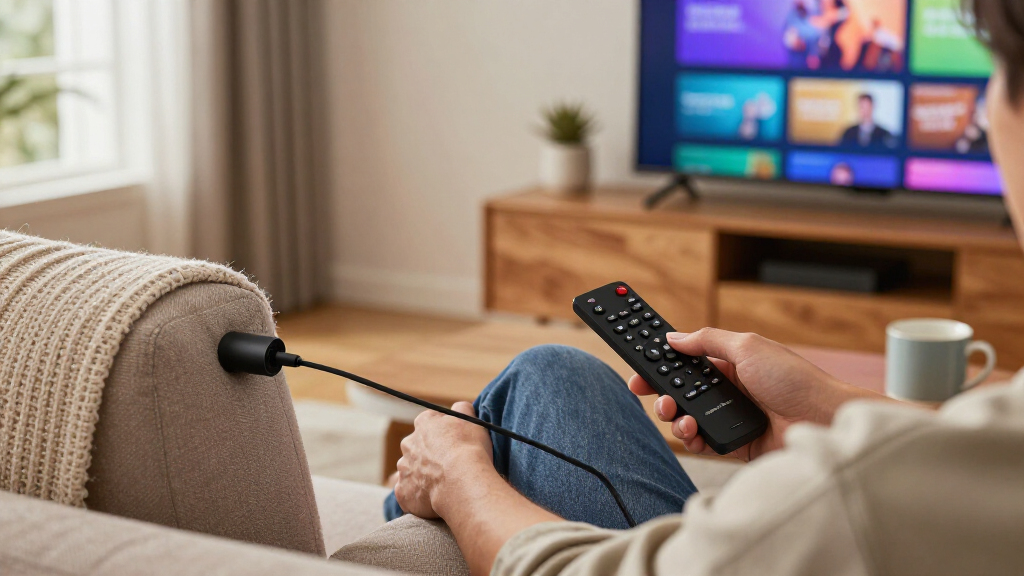

The best streaming sticks for TVs turn any HDMI port into a smart TV, but the differences between models come down to processing speed, video format support, and how aggressively each platform pushes ads. My top pick is the Amazon Fire TV Stick 4K Max (2nd Gen), which pairs the fastest interface in this lineup with broad codec support and Wi-Fi 6E readiness. If you prefer a cleaner, ad-light interface, the Roku Streaming Stick 4K is the strongest alternative, while the Xiaomi TV Stick 4K (2nd Gen) wins on budget value with Google TV built in. The main tradeoff you will face: Amazon’s sticks are snappier but heavily promotional, Roku is simpler but closed to Google’s ecosystem, and cheaper sticks save money now but stutter on heavy apps. Keep reading for the full ranking and which model fits your TV and viewing habits.

Get the little things that make your day delivered free with Prime
- Fast, free delivery on millions of items
- Prime Video, Amazon Music and more included
- Member-only deals all year
Key Takeaways
- Processing power, not resolution specs, was the biggest differentiator: the Fire TV Stick 4K Max (2nd Gen) and Fire TV Stick 4K Plus handled navigation and app launches noticeably faster than every amazon.com/dp/B0F7Z4QZTT?tag=drunkenspeculation-20&ascsubtag=dc-1112885″ target=”_blank” rel=”nofollow sponsored noopener”>amazon.com/dp/B0C6W3D4RM?tag=drunkenspeculation-20&ascsubtag=dc-1112885″ target=”_blank” rel=”nofollow sponsored noopener”>amazon.com/dp/B0CJL9XJVY?tag=drunkenspeculation-20&ascsubtag=dc-1112885″ target=”_blank” rel=”nofollow sponsored noopener”>amazon.com/dp/B09X5DL9S5?tag=drunkenspeculation-20&ascsubtag=dc-1112885″ target=”_blank” rel=”nofollow sponsored noopener”>Roku and Xiaomi option ranked here.
- Roku dominated the simplicity category — the Streaming Stick 4K, Streaming Stick Plus, and Streaming Stick HD all share the same uncluttered interface, so paying more within Roku‘s range buys picture quality, not a better experience.
- Renewed and like-new options (the Fire TV Stick 4K Like-New and Roku Streaming Stick Plus Renewed) deliver nearly identical hardware at the bottom of the rankings only because newer chips at similar street prices make them harder to justify over fresh stock.
- The onn Android TV 2K FHD stick and Fire TV Stick HD are the only picks capped at 1080p, making them right solely for older or smaller TVs where 4K upcharge buys nothing visible.
- Google TV sticks (both Xiaomi entries and the TiVo Stream 4K) offer the best app recommendations and Chromecast built-in, but slower updates and heavier interfaces held all three back versus the Amazon and Roku flagships.
| Amazon Fire TV Stick 4K Max (2nd Gen) Streaming Device |  | Best Overall | Resolution: Up to 2160p at 60 fps | Processor: Quad-core 2.0 GHz | Storage: 16 GB | VIEW LATEST PRICE | See Our Full Breakdown |
| Xiaomi TV Stick 4K (2nd Gen) Streaming Device with Google TV |  | Best Premium Audio and Visuals | Resolution: 4K UHD (3840 x 2160) | Processor: 6nm quad-core, 2.5 GHz | RAM: 2 GB | VIEW LATEST PRICE | See Our Full Breakdown |
| Roku Streaming Stick 4K with Voice Remote |  | Best for Simplicity | Resolution: 4K | Storage: 4 GB | Connectivity: Long-range Wi-Fi | VIEW LATEST PRICE | See Our Full Breakdown |
| TiVo Stream 4K Streaming Device |  | Best for Live TV and Cross-App Search | Resolution: 4K UHD | RAM: 2 GB | Storage: 8 GB | VIEW LATEST PRICE | See Our Full Breakdown |
| onn Android TV 2K FHD Streaming Stick with Remote and Power Adapter |  | Best Budget Starter Pick | Resolution: 2K FHD | Operating system: Android TV | Connectivity: Wi-Fi, HDMI | VIEW LATEST PRICE | See Our Full Breakdown |
| Roku Streaming Stick Plus with Voice Remote, 4K and HDR10+ |  | Best Plug-and-Play 4K | Resolution: 4K | HDR Support: HDR10+ | Connector: HDMI | VIEW LATEST PRICE | See Our Full Breakdown |
| Roku Streaming Stick HD with Voice Remote |  | Best Budget Pick for Secondary TVs | Resolution: 1080p | Connector: HDMI | Connectivity: Bluetooth, Wi-Fi | VIEW LATEST PRICE | See Our Full Breakdown |
| Amazon Fire TV Stick 4K (Like-New) with Wi-Fi 6 and Alexa Voice Remote |  | Best Value 4K Upgrade | Condition: Refurbished; tested and certified to look and work like new | Streaming Resolution: 4K Ultra HD | HDR Formats: Dolby Vision, HDR10+ | VIEW LATEST PRICE | See Our Full Breakdown |
| Amazon Fire TV Stick 4K Select |  | Best for Alexa Households | Output Resolution: 2160p, 1080p, 720p up to 60 fps | HDR Formats: HDR10, HDR10+, HLG | Processor: Quad-core 1.7 GHz | VIEW LATEST PRICE | See Our Full Breakdown |
| Xiaomi TV Stick 4K (2nd Gen) Streaming Media Player |  | Best for Home Theater Audio | Resolution: 4K | HDR: Dolby Vision, HDR10+ | Audio: Dolby Atmos, DTS:X | VIEW LATEST PRICE | See Our Full Breakdown |
| Roku Streaming Stick Plus with Voice Remote, 4K and HDR10+ (Renewed) |  | Best Budget 4K Entry Point | Resolution: 4K | HDR: HDR10+ | Connectivity: HDMI, Wi-Fi | VIEW LATEST PRICE | See Our Full Breakdown |
| Amazon Fire TV Stick 4K Plus |  | Best for Gamers and Home Theater Fans | Output resolution: 2160p / 1080p / 720p up to 60 fps | Video formats: Dolby Vision, HDR10, HDR10+, HLG, AV1 | Audio: Dolby Atmos, 7.1 surround, HDMI pass-through up to 5.1 | VIEW LATEST PRICE | See Our Full Breakdown |
| Amazon Fire TV Stick HD with Alexa Voice Remote |  | Best for Secondary TVs | Resolution: Full HD (1080p) | Wi-Fi: Wi-Fi 6 | Connectivity: HDMI | VIEW LATEST PRICE | See Our Full Breakdown |
| Roku Streaming Stick 4K with Voice Remote |  | Best for Weak Wi-Fi Rooms | Resolution: 4K | HDR formats: Dolby Vision, HDR10+ | Connectivity: Wi-Fi, HDMI | VIEW LATEST PRICE | See Our Full Breakdown |
| Roku Streaming Stick 4K with Voice Remote |  | Best for Apple Households | Video output resolution: 3840 × 2160 (4K) | Video formats: H.265/HEVC, Dolby Vision, HDR10+ | Connectivity: Wi-Fi, HDMI | VIEW LATEST PRICE | See Our Full Breakdown |
| streaming sticks for TV | Resolution | Connectivity |
|---|---|---|
| Amazon Fire TV Stick 4K Max | Up to 2160p at 60 fps | — |
| Xiaomi TV Stick 4K | 4K UHD (3840 x 2160) | Wi-Fi 6, Bluetooth |
| Roku Streaming Stick 4K with V | 4K | Long-range Wi-Fi |
| TiVo Stream 4K Streaming Devic | 4K UHD | Wi-Fi |
| onn Android TV 2K FHD Streamin | 2K FHD | Wi-Fi, HDMI |
| Roku Streaming Stick Plus with | 4K | Bluetooth, Wi-Fi |
| Roku Streaming Stick HD with V | 1080p | Bluetooth, Wi-Fi |
| Amazon Fire TV Stick 4K | — | — |
| Amazon Fire TV Stick 4K Select | — | — |
| Xiaomi TV Stick 4K | 4K | Dual-band Wi-Fi 6, Bluetooth |
| Roku Streaming Stick Plus with | 4K | HDMI, Wi-Fi |
| Amazon Fire TV Stick 4K Plus | — | — |
| Amazon Fire TV Stick HD with A | Full HD (1080p) | HDMI |
| Roku Streaming Stick 4K with V | 4K | Wi-Fi, HDMI |
| Roku Streaming Stick 4K with V | — | Wi-Fi, HDMI |
More Details on Our Top Picks
Amazon Fire TV Stick 4K Max (2nd Gen) Streaming Device
The Fire TV Stick 4K Max earns the top spot because it simply does more than everything else in this lineup. Where the Xiaomi TV Stick 4K and TiVo Stream 4K stop at 8 GB of storage, this model doubles that to 16 GB, which matters if you install a lot of apps or download content for offline viewing. Wi-Fi 6E is the other standout: on a compatible router it holds a steadier 4K stream at range than the standard Wi-Fi on the Roku Streaming Stick 4K. The remote goes beyond voice search, handling TV power and volume, and the stick doubles as a cloud gaming device. The tradeoffs are real, though — you need a Wi-Fi 6E router to benefit from the wireless upgrade, and the Fire OS interface pushes Amazon content harder than Roku’s more neutral menus.
Pros:- 16 GB of storage — double most sticks in this roundup
- Wi-Fi 6E keeps 4K streams stable at distance
- Remote controls TV power and volume
- Supports Dolby Vision, HDR10+, and Dolby Atmos
Cons:- Wi-Fi 6E requires a compatible router to matter
- Interface heavily favors Amazon’s own content and services
- Cloud gaming needs a separate subscription and controller
Best for: Streamers who want the most capable all-rounder with room for apps, downloads, and casual cloud gaming
Not ideal for: Households deep in Apple content or those who dislike ad-heavy, Amazon-centric menus
- Resolution:Up to 2160p at 60 fps
- Processor:Quad-core 2.0 GHz
- Storage:16 GB
- Wi-Fi:Wi-Fi 6E tri-band
- Bluetooth:Bluetooth 5.2 + BLE
- Video formats:Dolby Vision, HDR10+, HLG, AV1
- Audio:Dolby Atmos, 7.1 surround
- Voice control:Alexa Voice Remote Enhanced
Our verdict“If you want one stick that covers streaming, storage, and gaming without compromise, this is the one to buy.”
Xiaomi TV Stick 4K (2nd Gen) Streaming Device with Google TV
This Xiaomi stick stands out for one thing no other pick here matches: DTS:X audio support alongside Dolby Atmos. If your receiver or soundbar handles DTS soundtracks, the Fire TV Stick 4K Max and Roku Streaming Stick 4K can’t pass it the same way. The 6nm quad-core processor is also the most modern silicon in this batch, which translates to quicker menu navigation than the older TiVo Stream 4K. Google TV is the real draw for some buyers — it aggregates content across apps and casts from Android phones natively. The compromise is 8 GB of storage, half what the Fire TV Stick 4K Max offers, and Google’s interface surfaces recommendations you may not want. Compared with the TiVo, you get newer hardware; compared with the Fire TV Max, you trade storage for audio flexibility.
Pros:- DTS:X and Dolby Atmos audio support, rare at this size
- Efficient 6nm quad-core processor for smooth menus
- Wi-Fi 6 for reliable 4K streaming
- Google TV aggregates content across apps
Cons:- 8 GB storage limits how many apps you can keep installed
- Google TV recommendations can feel intrusive
Best for: Home theater enthusiasts with DTS-capable sound systems and Google/Android households
Not ideal for: Heavy app installers — 8 GB fills up fast once you add games and downloads
- Resolution:4K UHD (3840 x 2160)
- Processor:6nm quad-core, 2.5 GHz
- RAM:2 GB
- Storage:8 GB
- Connectivity:Wi-Fi 6, Bluetooth
- Operating system:Google TV
- Audio:Dolby Atmos, DTS:X
- Video formats:Dolby Vision, HDR10+
Our verdict“This pick makes the most sense for DTS-equipped home theaters that don’t want to compromise on surround formats.”
Roku Streaming Stick 4K with Voice Remote
Roku’s greatest strength is the interface: neutral, grid-based menus that treat every service equally, unlike the Amazon-heavy Fire OS on the Fire TV Stick 4K Max. The long-range Wi-Fi receiver is a genuine advantage for TVs far from the router — a situation where weaker sticks buffer. It also plays nicer across ecosystems than anything else here, working with Siri, Alexa, and Google Assistant simultaneously, so it fits mixed-device households. The remote handles TV power and volume, and free live TV channels are built in. The honest tradeoff: with 4 GB of storage it holds far fewer apps than the 16 GB Fire TV Stick 4K Max or even the 8 GB Xiaomi, and this listing is a renewed unit, so cosmetic wear and shorter warranty coverage are possibilities. Audio support also trails Xiaomi’s — no DTS:X here.
Pros:- Neutral interface doesn’t favor any one service
- Long-range Wi-Fi performs well at distance
- Compatible with Siri, Alexa, and Google Assistant
- Voice remote controls TV power and volume
Cons:- Only 4 GB of storage for apps
- Renewed condition means cosmetic wear is possible
- No DTS:X audio support
Best for: Buyers who value a clean, impartial interface and have a TV far from the router
Not ideal for: App hoarders and anyone uncomfortable buying a renewed device
- Resolution:4K
- Storage:4 GB
- Connectivity:Long-range Wi-Fi
- Connector:HDMI
- Video formats:Dolby Vision, HDR10+
- Controller:Voice remote with TV power and volume
- Form factor:TV stick
Our verdict“Choose this if interface simplicity and Wi-Fi range matter more than app storage or surround-format flexibility.”
TiVo Stream 4K Streaming Device
The TiVo Stream 4K is built around a single idea: one screen that merges live TV, apps, search, and watch lists. Where the Roku Streaming Stick 4K keeps each app in its own silo, TiVo’s cross-app search pulls results and recommendations from every service at once — closer to how a cable guide used to feel. Google Assistant voice control and Dolby Vision/Atmos support keep it competitive on the basics. But the hardware shows its age next to newer rivals: the 2 GB of RAM and 8 GB of storage match the Xiaomi TV Stick 4K, yet the processor is older, so menus feel slightly less snappy. It also lacks the Wi-Fi 6 of the Xiaomi and the Wi-Fi 6E of the Fire TV Stick 4K Max. This option is better suited to cord-cutters who miss channel-surfing than to spec hunters.
Pros:- Cross-app search unifies results from all services
- Live TV integration in one central screen
- Dolby Vision and Dolby Atmos support
- Google Assistant voice control
Cons:- Aging hardware compared with newer sticks
- 8 GB of storage fills quickly
- Older Wi-Fi standard may struggle on congested networks
Best for: Cord-cutters who want live TV, apps, and watch lists unified in one guide-style interface
Not ideal for: Buyers chasing the latest hardware — the processor and Wi-Fi lag newer sticks
- Resolution:4K UHD
- RAM:2 GB
- Storage:8 GB
- Connectivity:Wi-Fi
- Connector:HDMI
- Video:Dolby Vision, VP9 Profile 2
- Audio:Dolby Atmos
- Voice control:Google Assistant
- Power:5 V / 1.0 A, max 5 W
Our verdict“Pick this for the unified live-TV-and-apps experience, not for raw performance.”
onn Android TV 2K FHD Streaming Stick with Remote and Power Adapter
The onn Android TV stick is the entry point of this lineup — it caps out at 2K resolution while every other pick here streams 4K. For a bedroom TV or older 1080p panel, that difference is invisible, and this stick still delivers the features that matter to a first-time streamer: voice control on the remote, Chromecast built in for casting from a phone, and full access to the Play Store. Compared with the Xiaomi TV Stick 4K, you lose resolution, Dolby Vision, and Wi-Fi 6, but you keep the same Google-flavored ecosystem at a friendlier price, and the included power adapter means no extra purchases. The compromises are predictable: no HDR support, lighter app performance than the quad-core Fire TV Stick 4K Max, and no 4K future-proofing if you upgrade your TV later.
Pros:- Chromecast built in for casting from phones and PCs
- Voice control via the included remote
- Full Play Store access to thousands of apps
- Power adapter included in the box
Cons:- Maxes out at 2K — no 4K or HDR support
- Slower performance than premium sticks
- Not future-proof for TV upgrades
Best for: First-time streamers or anyone adding streaming to a 1080p bedroom or spare TV
Not ideal for: Owners of 4K or HDR TVs — the resolution cap wastes the panel
- Resolution:2K FHD
- Operating system:Android TV
- Connectivity:Wi-Fi, HDMI
- Casting:Chromecast built in
- Voice control:Built-in virtual assistant via remote
- Included accessories:Remote control, power adapter
Our verdict“A sensible, low-commitment way to add smart features to an older 1080p TV — skip it if your panel is 4K.”
Roku Streaming Stick Plus with Voice Remote, 4K and HDR10+
This option stands out for effortless setup: it draws power directly from the TV’s HDMI port, so there is no wall adapter or extra cable dangling behind the set. Compared with the Amazon Fire TV Stick 4K Select, Roku’s interface favors a neutral, app-first layout with free live channels instead of pushing storefront content, which matters for households that dislike ads baked into the home screen. The voice remote handling streaming, TV power, and volume in one handset is a genuine quality-of-life upgrade over basic remotes, and Bluetooth Headphone Mode solves late-night viewing conflicts. The tradeoff is HDR: it covers HDR10+ but skips Dolby Vision, so picture-quality perfectionists will find the Xiaomi TV Stick 4K (2nd Gen) more complete.
Pros:- Powers directly from the TV, eliminating a separate wall adapter
- Compact body leaves neighboring HDMI ports accessible
- One remote controls streaming, TV power, and volume
- Bluetooth Headphone Mode enables private listening
Cons:- Full 4K HDR performance requires a compatible 4K TV and Wi-Fi
- No Dolby Vision or Dolby Atmos support
Best for: Viewers who want a tidy, minimal-cable 4K setup with one remote controlling everything
Not ideal for: Home theater enthusiasts who want Dolby Vision and Dolby Atmos for a high-end sound system
- Resolution:4K
- HDR Support:HDR10+
- Connector:HDMI
- Connectivity:Bluetooth, Wi-Fi
- Remote:Voice remote with TV power and volume control
- Smart Home Compatibility:Alexa, Apple AirPlay and HomeKit, Google Home, Roku Smart Home
- Audio Feature:Bluetooth Headphone Mode
Our verdict“This pick makes the most sense for buyers prioritizing clean installation and a simple, ad-light interface over maximum format support.”
Roku Streaming Stick HD with Voice Remote
Not every screen needs 4K, and this model leans into that reality. For bedrooms, guest rooms, or older 1080p sets, it delivers the same Roku experience as the Roku Streaming Stick Plus — same interface, same voice remote with power and volume control, same Headphone Mode — at a lower tier of hardware. The free live TV channels are a real benefit for cord-cutters on a budget, something the Amazon sticks don’t match without digging into ad-supported apps. Its compact footprint and TV-powered design also make it genuinely travel-friendly, unlike bulkier streaming boxes. The obvious limitation: it tops out at 1080p, so pairing it with a 4K panel wastes the TV’s capabilities, and the Amazon Fire TV Stick HD offers a comparable alternative for Alexa-centric households.
Pros:- Includes free HD live TV channels at no extra cost
- Same voice remote features as pricier Roku sticks
- Highly portable, TV-powered design with no separate adapter
- Bluetooth Headphone Mode for private listening
Cons:- Limited to 1080p resolution
- Requires a Wi-Fi connection for any streaming
Best for: Budget-conscious buyers outfitting 1080p bedroom or guest TVs, or travelers who want streaming on the road
Not ideal for: Owners of 4K TVs who would be leaving picture quality on the table
- Resolution:1080p
- Connector:HDMI
- Connectivity:Bluetooth, Wi-Fi
- Power:Powered by TV
- Remote:Voice remote with TV power and volume control
- Smart Home Compatibility:Alexa, Apple AirPlay and HomeKit, Google Home, Roku Smart Home
- Form Factor:TV stick
Our verdict“The right choice when the goal is cheap, reliable streaming for a smaller or older screen rather than cutting-edge picture quality.”
Amazon Fire TV Stick 4K (Like-New) with Wi-Fi 6 and Alexa Voice Remote
This refurbished model makes high-end streaming accessible by pairing a certified like-new device with the same limited warranty as a new unit. Feature-wise it holds its own against the new Fire TV Stick 4K Select: Dolby Vision, HDR10+, Dolby Atmos, and Wi-Fi 6, which the Select lacks and which helps in busy households where phones and laptops compete for bandwidth. Compared with Roku options, it trades Roku’s cleaner interface for deeper Alexa integration and Xbox cloud gaming without a console. The compromises are mostly cosmetic — generic Amazon-branded packaging instead of retail boxing — plus the usual Fire TV caveats of an ad-heavy home screen and subscription-dependent content.
Pros:- Dolby Vision, HDR10+, and Dolby Atmos in one device
- Wi-Fi 6 handles congested home networks more gracefully
- Xbox cloud gaming support without a console
- Certified like-new condition with the same warranty as new
Cons:- Refurbished unit ships in generic packaging, not retail box
- Ad-heavy Fire TV interface may frustrate Roku converts
Best for: Value-focused buyers who want flagship 4K formats and Wi-Fi 6 without paying new-retail pricing
Not ideal for: Gift-givers or buyers who expect pristine retail packaging and untouched hardware
- Condition:Refurbished; tested and certified to look and work like new
- Streaming Resolution:4K Ultra HD
- HDR Formats:Dolby Vision, HDR10+
- Audio:Dolby Atmos
- Wi-Fi:Wi-Fi 6
- Voice Assistant:Alexa
- Cloud Gaming:Xbox Game Pass cloud gaming
- Warranty:Same limited warranty as a new device
Our verdict“A smart way to get premium 4K streaming hardware at reduced cost, provided refurbished condition and Amazon’s interface don’t bother you.”
Amazon Fire TV Stick 4K Select
For homes already running Echo speakers, smart locks, or Ring cameras, this stick functions as a natural hub extension rather than just a streamer. Its quad-core 1.7 GHz processor and 8 GB of storage deliver snappier navigation than entry-level sticks, and its codec support — including AV1 — means smoother 4K streams on services that use the efficient format. Compared with the like-new Fire TV Stick 4K, it costs less upfront but drops Dolby Vision, Wi-Fi 6, and Dolby Atmos, so the refurb remains the better pick for AV quality. The 90-day warranty is also shorter than typical new-device coverage. Against Roku alternatives, it offers stronger voice-assistant integration but a busier, more commercial interface.
Pros:- Alexa voice search and smart home control built into the remote
- AV1 and HDR10+ codec support for efficient 4K streaming
- Access to major apps plus free ad-supported content
- Xbox cloud gaming support with a Game Pass subscription
Cons:- Shorter 90-day limited warranty
- No Dolby Vision or Dolby Atmos, unlike the step-up Fire TV sticks
- Cloud gaming requires separate subscription and controller
Best for: Alexa-centric households that want voice-controlled streaming tied into an existing smart home setup
Not ideal for: Buyers who want Dolby Vision and Dolby Atmos, or anyone bothered by a promo-heavy home screen
- Output Resolution:2160p, 1080p, 720p up to 60 fps
- HDR Formats:HDR10, HDR10+, HLG
- Processor:Quad-core 1.7 GHz
- Storage:8 GB
- Wi-Fi:Dual-band, dual-antenna MIMO (802.11a/b/g/n/ac)
- Bluetooth:Bluetooth 5.0 and Bluetooth Low Energy
- Voice Support:Alexa Voice Remote included
- Dimensions:3.9 x 1.2 x 0.6 in (99 x 30 x 14 mm)
- Warranty:90-day limited warranty
Our verdict“Best suited to Alexa loyalists who value ecosystem integration over the absolute best picture formats.”
Xiaomi TV Stick 4K (2nd Gen) Streaming Media Player
No other stick in this lineup matches its audio flexibility: Dolby Atmos plus DTS:X, a combination the Roku Streaming Stick Plus and both Amazon Fire TV Sticks here can’t offer. For anyone with a soundbar or receiver that decodes DTS soundtracks from local media or certain discs-ripped libraries, that support alone justifies the choice. The Google TV platform also brings strong content aggregation and Google Cast, which Roku sticks entirely lack — handy for anyone casting from an Android phone or Chrome browser. Its 6nm quad-core chip is a newer architecture than the Fire TV Stick 4K Select’s processor. The flip side: Google TV’s app library is thinner than Roku’s in some regions, and its recommendation-driven interface surfaces content you may not subscribe to.
Pros:- Dolby Atmos and DTS:X audio support, rare in this category
- Dolby Vision and HDR10+ for full 4K picture coverage
- Google Cast built in for easy phone-to-TV streaming
- Efficient 6nm quad-core processor on a compact, portable stick
Cons:- Google TV app selection can be thinner than Roku’s in some regions
- Recommendation-heavy interface pushes subscription content you may not have
Best for: Audio enthusiasts with Atmos or DTS-capable sound systems and Android-phone users who want built-in casting
Not ideal for: Viewers who want the widest guaranteed app selection and a simpler, neutral interface like Roku’s
- Resolution:4K
- HDR:Dolby Vision, HDR10+
- Audio:Dolby Atmos, DTS:X
- Processor:6nm platform, 2.5GHz quad-core A55
- Connectivity:Dual-band Wi-Fi 6, Bluetooth
- Operating System:Google TV
- Casting:Google Cast
- Setup:HDMI plug-and-play
Our verdict“The pick for buyers whose sound system matters as much as their picture, especially in Google-centric homes.”
Roku Streaming Stick Plus with Voice Remote, 4K and HDR10+ (Renewed)
For buyers who want 4K and HDR10+ without paying new-retail pricing, this renewed Roku Streaming Stick Plus is the most sensible entry in the lineup. The compact HDMI housing tucks behind the TV without crowding neighboring ports, and the voice remote handles TV power and volume — a convenience some cheaper sticks in this roundup skip entirely. Compared with the Fire TV Stick HD, this option delivers the resolution jump to 4K that HD model can’t, while keeping Roku’s simpler, less ad-heavy interface. Compared with the standard Roku Streaming Stick 4K, it trades away Dolby Vision, sticking with HDR10+ only — a real limitation if your TV favors Dolby Vision. Renewed condition also means cosmetic wear is possible, and there’s no long-range Wi-Fi receiver here, so distant rooms may struggle.
Pros:- 4K streaming with HDR10+ at a renewed price point
- Slim housing keeps adjacent HDMI ports usable
- Voice remote controls TV power and volume
- Access to free live TV channels
Cons:- No Dolby Vision support, limiting HDR on some TVs
- Renewed condition may include cosmetic wear
- Lacks the long-range Wi-Fi of the Streaming Stick 4K
Best for: Budget-conscious buyers with a 4K TV who want HDR10+ streaming and don’t need Dolby Vision
Not ideal for: Owners of Dolby Vision TVs or people streaming far from the router — the standard Streaming Stick 4K covers both cases better
- Resolution:4K
- HDR:HDR10+
- Connectivity:HDMI, Wi-Fi
- Control:Voice remote with TV power and volume
- Supported services:Apple TV+, Disney+, Hulu, Netflix, Prime Video, YouTube
- Form factor:TV stick
- Dimensions:3.7 × 0.8 × 0.5 in
- Weight:80 g
Our verdict“A smart pickup for 4K TV owners who want Roku’s clean interface and HDR10+ color at the lowest possible cost, as long as Dolby Vision isn’t a dealbreaker.”
Amazon Fire TV Stick 4K Plus
This is the most feature-dense stick in the batch. Beyond 4K, it covers Dolby Vision, HDR10+, and Dolby Atmos — a fuller audio-visual stack than either Roku Streaming Stick 4K listing, which stop at Dolby Vision. Where it truly separates itself is cloud gaming through Xbox Game Pass, something no Roku or Xiaomi stick in this roundup offers, plus Wi-Fi 6 and Bluetooth 5.2 for stable performance in busy households. The Alexa remote doubles as a smart home controller, which suits anyone already living in the Amazon ecosystem. The tradeoff: Fire OS pushes Amazon content and sponsored rows harder than Roku’s interface, and to actually use Wi-Fi 6 you need a Wi-Fi 6 router — otherwise you’re paying for headroom you won’t touch.
Pros:- Full HDR and audio support including Dolby Vision and Dolby Atmos
- Cloud gaming via Xbox Game Pass
- Wi-Fi 6 and Bluetooth 5.2 for busy networks
- Alexa remote controls TVs, soundbars, and smart home devices
Cons:- Fire OS interface is ad-heavy and Amazon-first
- Wi-Fi 6 and full features require compatible router and 4K TV
Best for: Households with Dolby Vision/Atmos setups and Xbox Game Pass subscribers who want gaming without a console
Not ideal for: Buyers who dislike ad-heavy, Amazon-centric menus — the Roku Streaming Stick 4K offers a cleaner experience
- Output resolution:2160p / 1080p / 720p up to 60 fps
- Video formats:Dolby Vision, HDR10, HDR10+, HLG, AV1
- Audio:Dolby Atmos, 7.1 surround, HDMI pass-through up to 5.1
- Wi-Fi:Dual-band Wi-Fi 6 (2.4/5 GHz)
- Bluetooth:Bluetooth 5.2 + BLE
- Processor:Quad-core 1.7 GHz
- Storage:8 GB
- Ports:HDMI 2.1 with ARC support; micro USB
- Remote:Alexa Voice Remote with TV power and volume
Our verdict“The pick for entertainment maximalists who want Atmos, Dolby Vision, and cloud gaming in one stick — provided they can live with Amazon’s busy interface.”
Amazon Fire TV Stick HD with Alexa Voice Remote
Not every screen needs 4K. This stick is built for the bedroom TV, kitchen set, or older flat panel where 1080p is plenty. It undercuts the 4K models in the roundup on simplicity: plug it in, power it from the TV’s USB port via USB-C, and stream. Unlike the Roku Streaming Stick Plus (Renewed), it includes Wi-Fi 6, so it actually holds a steadier connection on modern routers despite the lower resolution. The Alexa remote controls compatible TVs and soundbars, and Bluetooth private listening lets you watch late at night without waking anyone — a feature the basic Roku HD stick lacks. The obvious ceiling: no 4K, no HDR, and no Dolby Vision. Put this on a 4K panel and you’re leaving picture quality on the table compared with the Fire TV Stick 4K Plus.
Pros:- Compact and portable for travel or secondary rooms
- Wi-Fi 6 support despite the low price tier
- Bluetooth headphone private listening
- Powered directly from the TV via USB-C
Cons:- Limited to Full HD with no HDR or Dolby Vision
- Fire OS ads and Amazon promotion are intrusive
- Some services require separate subscriptions
Best for: Owners of 1080p or older TVs who want a cheap, simple upgrade with quiet late-night viewing
Not ideal for: Anyone with a 4K TV — the resolution cap wastes the panel’s capability
- Resolution:Full HD (1080p)
- Wi-Fi:Wi-Fi 6
- Connectivity:HDMI
- Power:Powered by TV via included USB-C cable
- Remote:Alexa Voice Remote with power and volume buttons
- Audio:Bluetooth headphone support
Our verdict“The right stick for a spare-room 1080p TV where Wi-Fi 6 reliability and private listening matter more than resolution.”
Roku Streaming Stick 4K with Voice Remote
This listing’s defining advantage is the long-range Wi-Fi receiver, engineered for rooms where the router sits a floor or several walls away. That’s a genuine differentiator against the Roku Streaming Stick Plus (Renewed), which lacks extended reception, and it means fewer buffering pauses in far-flung bedrooms or garages. Picture-wise it adds Dolby Vision on top of HDR10+, closing the gap with the Fire TV Stick 4K Plus — though it still misses Atmos and cloud gaming. The stick hides flush behind wall-mounted TVs without blocking other ports, and the voice remote handles TV power and volume. Roku’s interface remains the least cluttered of the major platforms here, which makes it the better choice for shared household TVs where simplicity wins. You’ll need a 4K TV to benefit from the resolution, obviously.
Pros:- Long-range Wi-Fi for rooms distant from the router
- Dolby Vision and HDR10+ support
- Flush design works with wall-mounted TVs
- Straightforward Roku interface with voice and TV controls
Cons:- No Dolby Atmos audio support
- 4K output requires a 4K-compatible TV
- Weaker smart home integration than Alexa-based sticks
Best for: Households streaming in rooms far from the router who value Roku’s clean, ad-light interface
Not ideal for: Home theater enthusiasts wanting Dolby Atmos or gamers needing cloud gaming — the Fire TV Stick 4K Plus covers both
- Resolution:4K
- HDR formats:Dolby Vision, HDR10+
- Connectivity:Wi-Fi, HDMI
- Controller:Voice remote with TV control
- Installed RAM:1 GB
- Internet services:Hulu, Netflix, Pandora, Prime Video, Vudu
- Form factor:TV stick
- Special features:Long-range Wi-Fi, TV control
Our verdict“The most dependable choice for distant rooms and shared TVs where connection stability and a simple menu matter more than premium audio.”
Roku Streaming Stick 4K with Voice Remote
Spec-wise this is the same hardware as the other Streaming Stick 4K listing, but this configuration earns its slot by highlighting AirPlay support, which makes it the natural pick for anyone deep in the Apple ecosystem. Photos, videos, and screen mirrors from an iPhone or Mac land on the big screen directly — something Fire TV sticks handle clumsily or not at all, and the Xiaomi TV Stick 4K only partially matches through Google’s casting. Like its twin, it offers Dolby Vision, HDR10+, and a long-range Wi-Fi receiver described as up to twice as fast, so distance from the router isn’t a concern. The tradeoffs mirror the Roku platform generally: no Atmos on par with the Fire TV Stick 4K Plus, no gaming, and channel availability varies by region. If both this and the AirPlay-less listing are available, this is the one Apple users should grab.
Pros:- AirPlay sharing from Apple devices
- 4K with Dolby Vision and HDR10+
- Long-range Wi-Fi rated up to twice as fast
- Voice remote with TV controls and access to free live channels
Cons:- No Dolby Atmos or cloud gaming support
- Channel and content availability varies by region
- Resolution capped by TV and content compatibility
Best for: iPhone and Mac owners who want AirPlay and screen mirroring on a 4K TV through Roku’s simple interface
Not ideal for: Android-first households or Atmos home theater setups — the Fire TV Stick 4K Plus fits both better
- Video output resolution:3840 × 2160 (4K)
- Video formats:H.265/HEVC, Dolby Vision, HDR10+
- Connectivity:Wi-Fi, HDMI
- Controller:Voice remote with TV controls
- Special features:Dual Wi-Fi support, AirPlay
- Dimensions:0.45 × 0.83 × 3.72 inches
- Weight:9.12 ounces
Our verdict“The Streaming Stick 4K to buy if you’ll ever AirPlay from an Apple device — same great Roku experience, plus the Apple-friendly extra.”
How We Picked
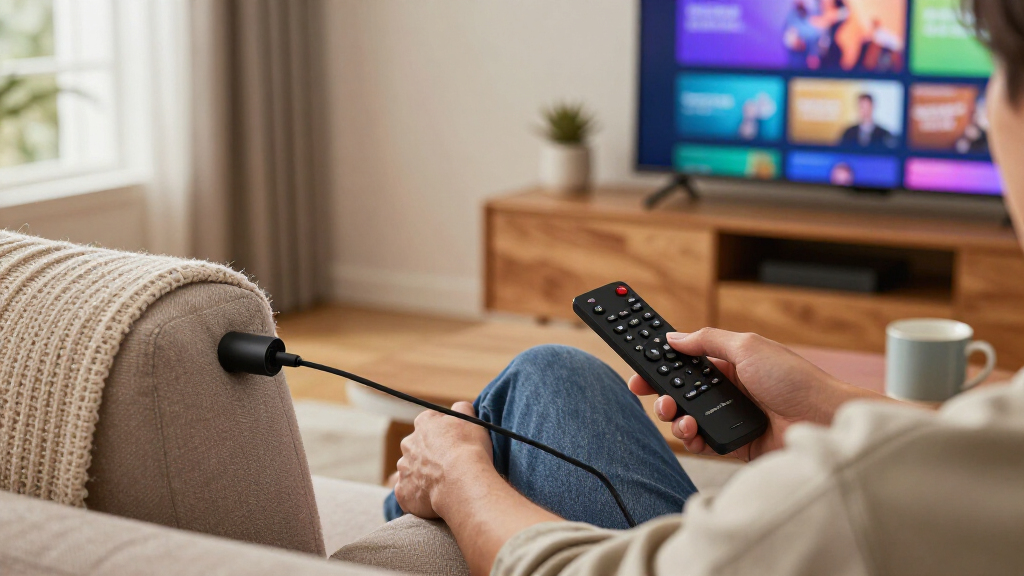
I evaluated these streaming sticks on five buyer-relevant criteria. Interface speed and stability came first, because a stick that lags on the home screen or stutters inside Netflix undermines everything else. Video and audio format support was next — 4K, HDR10+, Dolby Vision, and Dolby Atmos determine whether the stick future-proofs your TV or bottlenecks it. Ecosystem and interface philosophy mattered too: Fire OS, Roku OS, and Google TV each suit different users, and I ranked sticks partly on how pleasant and uncluttered daily use feels, including ad density on the home screen.
From there, I weighed remote quality (voice search, TV power and volume control, shortcut buttons) and value relative to the rest of this lineup — a cheaper stick only ranks well when it gives up little that its buyers would notice. Where duplicate or near-duplicate models appear (multiple Roku Streaming Stick 4K listings, the two Xiaomi variants, and renewed units), I ranked the freshest, best-supported version highest and explained when the cheaper variant still makes sense. The result is an ordered list where each position reflects a real tradeoff, not just a feature count.
Factors to Consider When Choosing Streaming Sticks For TVs
Before picking a specific stick, it helps to understand what actually separates a satisfying purchase from a frustrating one. These are the factors I weighed most heavily, along with the mistakes buyers commonly make at each step.Match the Stick to Your TV Before Anything Else
The single most common mistake is buying a 4K HDR stick for a 1080p television, or the reverse — pairing a 1080p-only stick like the Fire TV Stick HD or onn FHD stick with a 4K panel that will upconvert everything anyway, softening the picture. A 4K-capable stick on a 1080p TV wastes money on formats you cannot display; an HD stick on a 4K TV locks you out of the sharpest streams from Netflix, Disney+, and Apple TV+. Check your TV’s resolution and HDR support on its spec sheet before comparing anything else. Also verify your TV supports the HDR formats the stick outputs: HDR10+ (favored by Roku and Fire TV) and Dolby Vision (Fire TV and Google TV devices) are not interchangeable, and a mismatch means those formats simply never activate.
Ecosystem Lock-In Is the Decision Most Buyers Skip
Once you invest in a platform, your purchased apps, watchlists, and muscle memory move with you, so choosing between Fire OS, Roku OS, and Google TV matters more than any single hardware spec. Fire TV integrates Alexa, Ring cameras, and Amazon purchases, but its home screen is dense with promoted content. Roku is the most neutral and easiest for mixed households, though it lacks deep smart-home ties. Google TV offers the best content recommendations and built-in Chromecast for phone mirroring, at the cost of a busier interface and occasional sluggishness on cheaper hardware like budget Xiaomi sticks. If you already own an Echo speaker or a Nest hub, letting your existing ecosystem drive the choice usually pays off more than benchmark numbers.
Processor and RAM: Why Two 4K Sticks Feel Nothing Alike
Streaming sticks age faster through their processors than their video outputs. A stick with a stronger chipset loads apps in seconds and keeps picture-in-picture, live guides, and heavy interfaces like YouTube TV responsive; an underpowered one makes every button press feel delayed within a couple of years as apps grow heavier. This is why I ranked the Fire TV Stick 4K Max above visually identical cheaper sticks — its extra headroom is what keeps it feeling current longer. RAM plays a supporting role: more memory lets you switch between apps without reloading them, which matters if you bounce between live TV services and on-demand apps during a single evening. Treat the chip as a longevity purchase, not a spec-sheet number.
Wi-Fi Version and Your Home Network
Sticks now ship with Wi-Fi 5, Wi-Fi 6, and in one case here Wi-Fi 6E support, and the gap shows up on busy networks. If multiple people stream, game, or video-call at once, a Wi-Fi 6 stick like the Fire TV Stick 4K (Like-New) or the 4K Max holds a steadier 4K bitrate where a Wi-Fi 5 stick might downscale to 1080p during peak evening hours. That said, a Wi-Fi 6 stick cannot outrun a weak router — if your TV room has poor signal, no stick specification fixes that, and a mesh node will do more than an upgrade here. Also check whether your router broadcasts on both bands; sticks confined to crowded 2.4GHz networks struggle regardless of their Wi-Fi version.
Remote Quality Shapes Daily Satisfaction
The remote is the part you touch every single day, and it is where cheaper sticks quietly cut corners. Voice search dramatically reduces typing frustration when hunting specific titles, and TV power and volume buttons eliminate the need to keep a second remote on the couch — a genuine quality-of-life difference that entry-level sticks sometimes omit. Shortcut buttons are more divisive: they launch their labeled services instantly but cannot be reprogrammed, so a remote covered in buttons for services you never use is just clutter. If your stick will live behind a wall-mounted TV, prioritize remotes that work without direct line of sight, since all sticks in this lineup rely on Wi-Fi Direct or Bluetooth rather than infrared for their remotes.
When Renewed and Older-Generation Sticks Make Sense
Renewed units like the Roku Streaming Stick Plus (Renewed) and the Like-New Fire TV Stick 4K can be legitimate buys, but the math only works when the discount is meaningful relative to the current-generation equivalent. An older chip still receives updates today may stop receiving them sooner, and app support ends when updates do — that is the real expiration date on a streaming stick, not the hardware failing. My rule: only buy renewed or last-gen when the model is at most one generation old and the savings are substantial enough to accept a shorter support runway. Buyers who stream a few hours a week can safely take that trade; heavy daily streamers should buy current-generation hardware and simply keep it longer.
Frequently Asked Questions
Is it worth paying more for the Fire TV Stick 4K Max over the regular Fire TV Stick 4K?
It depends on how you stream. The 4K Max carries a faster processor and more memory, which shows up in quicker app launches, smoother navigation across the Fire TV home screen, and better stamina when services like YouTube TV layer live guides and picture-in-picture on top of playback. Casual streamers who open one or two apps a few evenings a week will barely notice the difference, and the standard 4K stick is the smarter spend. Households with multiple users, heavy live-TV watching, or plans to keep the stick for four-plus years will feel the extra headroom every day. The Max is a longevity purchase more than a feature purchase, which is why it tops my ranking despite the siblings looking nearly identical on paper.
Which is better for an older or non-tech-savvy user: Roku or Fire TV?
Roku is generally the safer choice here. Its grid of apps, minimal menus, and neutral home screen present far less to learn or accidentally tap into, and there are fewer promoted rows competing for attention than on Fire TV. Fire TV’s deeper settings, Alexa integrations, and ad-dense interface can overwhelm someone who just wants to open Netflix and press play. That said, a household already running Echo speakers and Prime Video may find Fire TV more familiar than Roku despite the busier layout. If simplicity is the top priority, the Roku Streaming Stick HD or Streaming Stick 4K are the picks I would hand a parent; reserve Fire TV for users who want voice control and smart-home ties baked in.
Do I need Dolby Vision and HDR10+ support in a streaming stick?
Only if your TV supports them — and even then, only for the services you actually watch. Dolby Vision and HDR10+ are competing dynamic HDR formats; Netflix, Disney+, and Apple TV+ lean heavily on Dolby Vision, while Amazon Prime Video is the main champion of HDR10+. Roku sticks support HDR10+ but not Dolby Vision, while the Fire TV 4K models and Google TV devices like the Xiaomi sticks handle Dolby Vision. If your TV supports only standard HDR10, both formats are moot and every 4K stick in this lineup performs equally on that front. Check your TV’s spec label before paying extra for a format your panel cannot display, because the stick cannot add HDR capability the TV lacks.
Can a streaming stick replace my smart TV’s built-in apps?
Yes, and in many cases it should. Smart TV processors age quickly, and apps on five-year-old TVs often become slow or lose support entirely while the panel itself is still excellent — a stick sidesteps that by moving the smarts to replaceable, inexpensive hardware. A stick also gives you a consistent interface across every TV in the house, so guests and family members do not relearn a new system in each room. The one caveat is inputs: you will occupy an HDMI port and may lose one-button access from the TV’s remote, though sticks with TV power and volume buttons on their remotes close that gap almost entirely. If your TV’s apps lag or a favorite service has vanished from its app store, a stick is the cheapest fix that exists.
Are the budget sticks under $40 actually usable, or will I regret them?
Usable, yes — with clear expectations. Sticks like the onn Android TV FHD, Fire TV Stick HD, and Roku Streaming Stick HD all stream their supported resolutions reliably; the compromises are in speed, remote features, and ceiling rather than basic function. Where buyers get burned is expecting budget hardware to handle demanding workflows: fast app switching, heavy live-TV interfaces with channel guides, or years of software updates on aging chips. A 1080p budget stick paired with a 1080p bedroom TV used a few hours a week is a genuinely good match, not a compromise. The regret scenario is the reverse — putting a budget stick on your main 4K living-room TV, where its slowness and format limits show up daily.
Conclusion
Matching the stick to the buyer matters more than any single spec in this category. For best overall, the Amazon Fire TV Stick 4K Max (2nd Gen) stands apart with the fastest interface, strongest codec support, and the longest useful life in this lineup. The Xiaomi TV Stick 4K (2nd Gen) takes best value, delivering 4K, Dolby Vision, and Google TV at a price that undercuts everything with comparable capability. The Fire TV Stick 4K Plus earns best premium for buyers who want near-Max performance with a slightly friendlier price, while the TiVo Stream 4K is the sleeper pick for Google TV fans who want its unique live-TV integration.
For beginners and older family members, the Roku Streaming Stick 4K or the even simpler Roku Streaming Stick HD are the choices I would make — no ads in your face, no ecosystem lock-in, and a remote everyone understands in ten seconds. Specific needs round out the map: the onn Android TV FHD stick for a spare 1080p bedroom set, the Fire TV Stick 4K (Like-New) or Roku Streaming Stick Plus (Renewed) for bargain hunters who accept a shorter support runway, and the Roku Streaming Stick Plus for HDR10+ TVs where Roku’s neutrality wins. Whatever you choose, buy for the TV you own and the hours you actually stream — that single rule eliminates most of the mistakes in this category.
Fall Picks
fall essentials
As an affiliate, we earn on qualifying purchases.